
In the modern, distributed workplace, managing employee leave and absence is far more complex than tracking a few vacation days. It’s a labyrinth of federal, state, and local regulations—from the Family and Medical Leave Act (FMLA) and the Americans with Disabilities Act (ADA) in the United States to the Working Time Regulations in the UK and myriad other laws globally. Non-compliance isn't just an administrative headache; it carries significant financial and reputational risks, including costly lawsuits, regulatory fines, and employee dissatisfaction. For HR departments, manually navigating this intricate web is a high-wire act with little room for error. This is where a unified system like Microsoft Dynamics 365 for Human Resources transforms the challenge, turning compliance from a constant vulnerability into an automated, integrated, and reliable business process.
The Foundation: Centralized Policy Configuration and Enforcement
The first and most critical step in ensuring compliance is eliminating ambiguity and inconsistency. When leave policies are managed through a patchwork of spreadsheets, email chains, and institutional memory, inconsistencies are inevitable. Dynamics 365 addresses this at its core by allowing organizations to codify their leave and absence policies directly within the system.
HR administrators can define precise rules for every type of leave—be it paid time off (PTO), sick leave, parental leave, or unpaid sabbaticals. This includes:
Accrual Rules: Automatically calculating how much time an employee earns based on tenure, hours worked, or other custom criteria.
Carryover Limits: Enforcing caps on how many days can be rolled over from one year to the next.
Waiting Periods: Managing probationary periods before new employees become eligible for certain benefits.
Jurisdiction-Specific Rules: Configuring different policies for employees in different states or countries to comply with local mandates, such as accrual of sick leave in specific municipalities.
By embedding these rules into the system, Dynamics 365 ensures they are applied consistently and automatically to every employee. This removes the risk of a manager accidentally approving a request that violates policy or an HR representative misinterpreting a complex accrual rule. The system becomes the single source of truth, guaranteeing that the policy as written is the policy as executed.
Navigating the Complexities of Regulatory Leave
Beyond standard PTO, mandated leaves like FMLA present a formidable compliance challenge. Tracking intermittent leave, recertifying medical documentation, and ensuring proper communication with employees are all ripe for human error. Dynamics 365 includes dedicated functionality to manage these processes with precision.
For FMLA specifically, the system can automatically track an employee’s eligibility (based on hours worked and length of service), manage their 12-month entitlement period, and deduct leave from the correct bank. It can generate and track the status of required paperwork and send automated notifications to HR when a certification is about to expire or when an employee is nearing their entitlement limit. This proactive management ensures the organization meets its legal obligations for notification and record-keeping, creating a defensible audit trail should a claim arise.
Similarly, the platform helps manage reasonable accommodations under the ADA. By creating structured workflows for accommodation requests, assessments, and implementations, it ensures a consistent, documented process that demonstrates the company’s good-faith effort to comply with the law.
The Audit Trail: Transparency, Reporting, and Data Integrity
When a regulatory body or a plaintiff’s attorney comes knocking, the ability to quickly and accurately produce records is paramount. A manual process often means scrambling through file cabinets and digging through old emails—a process that is both inefficient and unreliable.
Dynamics 360 solves this by creating a comprehensive, immutable audit trail for every leave-related action. Every request, approval, denial, modification, and accrual is logged within the system with a timestamp and user identification. This provides complete transparency into the "who, what, when, and why" of every decision.
Furthermore, the system’s deep integration with the Power Platform—specifically Power BI—enables powerful, real-time reporting. HR and compliance officers can create dashboards to monitor key metrics, such as:
Leave usage patterns across departments or locations.
FMLA usage and certification statuses.
Disparity analysis to identify potential discriminatory practices in leave approval.
Accrual balances and liability reports for financial planning.
This data-driven approach not only simplifies internal and external audits but also empowers organizations to spot trends and address potential compliance issues before they escalate into formal complaints or lawsuits.
Adapting to a Changing Regulatory Landscape
Laws governing employee leave are not static. New paid family leave laws are enacted at the state level, sick leave mandates change, and court rulings reinterpret existing statutes. For a global company, keeping pace with these changes across dozens of jurisdictions is a monumental task.
Dynamics 365 provides a scalable framework for adaptation. When a new law is passed, the underlying system can be updated to incorporate the new rules. Microsoft regularly releases updates for its cloud-based services, which can include new compliance features and regulatory templates. This means that instead of HR teams having to manually research and implement a new policy across the entire organization, much of the heavy lifting can be managed through system configuration. This significantly reduces the time-to-compliance and the risk of operating under an outdated policy. Absence And Leave Management
Empowering Employees and Managers with Self-Service
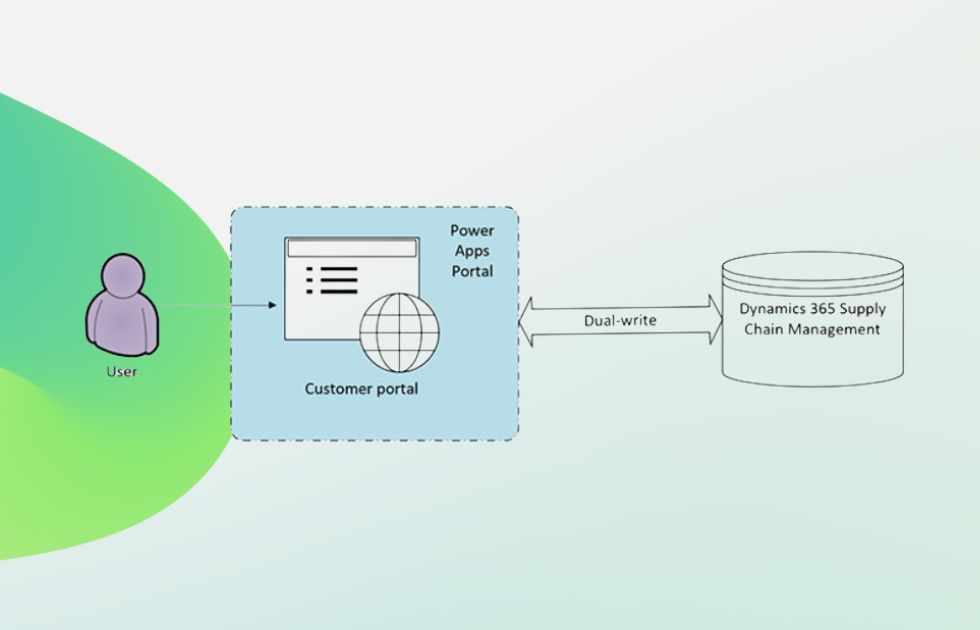
Compliance is a two-way street that requires understanding and participation from both employees and managers. Dynamics 365 fosters this through its intuitive, self-service portals.
Employees can easily view their current leave balances, see their accrual history, and submit leave requests directly through the system. This transparency reduces misunderstandings and disputes about available time. The system can also be configured to guide employees, automatically presenting them with the correct leave types based on their situation and location, ensuring they use the appropriate, compliant category for their absence.
For managers, the portal provides a clear dashboard of their team’s leave. They can see who is out, approve or deny requests with a single click, and are immediately alerted if a request conflicts with company policy, preventing inadvertent violations. This empowerment, guided by the system’s guardrails, decentralizes the administrative burden while maintaining centralized control and compliance.
Conclusion: From Administrative Burden to Strategic Assurance
Managing employee leave and absence in compliance with a growing body of laws is a critical business function that directly impacts an organization’s legal standing, financial health, and employer brand. Relying on manual, disjointed processes is no longer a viable option in an era of heightened regulatory scrutiny and remote work.
Dynamics 365 for Human Resources provides a robust, intelligent, and integrated solution. By automating policy enforcement, streamlining complex regulatory leave management, maintaining a flawless audit trail, and adapting to legal changes, it transforms compliance from a reactive, fear-based activity into a proactive, strategic advantage. It frees HR professionals from the tedious work of policing policies, allowing them to focus on more strategic initiatives like employee engagement and talent development. In doing so, it doesn’t just protect the organization from risk—it builds a foundation of trust, consistency, and fairness for every employee



Write a comment ...